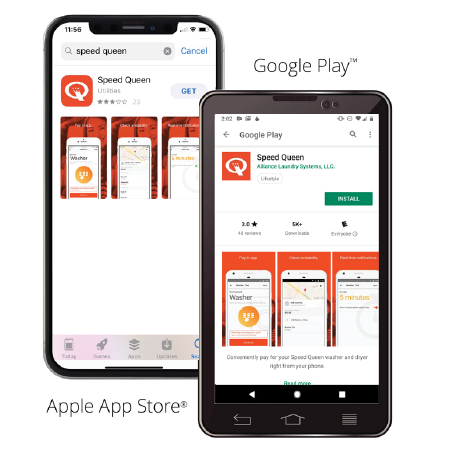
01The Speed Queen app, free from the Apple App Store or Google Play.
02A credit card, debit card or Apple Pay to load funds.
03Our location PIN FRSH22, or scan the QR code in store.
Step by step
Download & Sign Up
Install the Speed Queen app via the Apple App Store or Google Play Store.
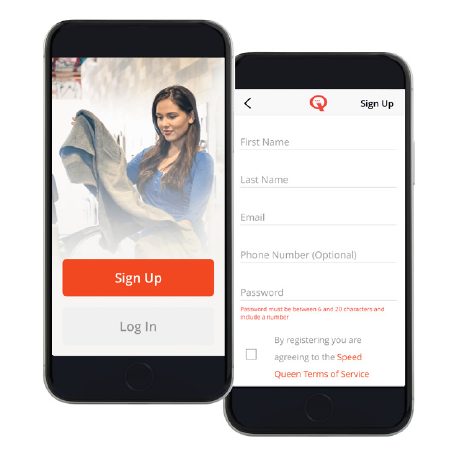
Select [log in] or [sign up] and follow the instructions to set up speed queen laundry account.
Enter verification code from email into app.
2: Select Your store Location [Fresh Laundromat]
Enter the store’s 6-digit location PIN [FRSH22] or scan the QR code displayed in the laundromat.
3: Load Your Digital Wallet
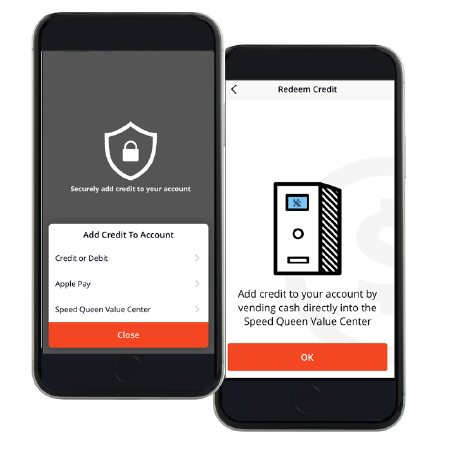
Go to “Your account balance” and tap [add funds].
Use slider bar to select $1-$50 to add money to your account.
If you choose $50 you will get a $5 reward credit to use in store.
Enter your method of payment credit, debit or
If you need to remove a card at anytime just swipe the card information to the right or left.
Start a Machine
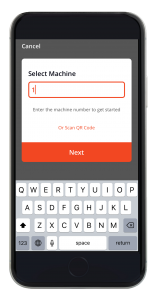
Load your washer or dryer, then in the app, select the machine by number or QR code.
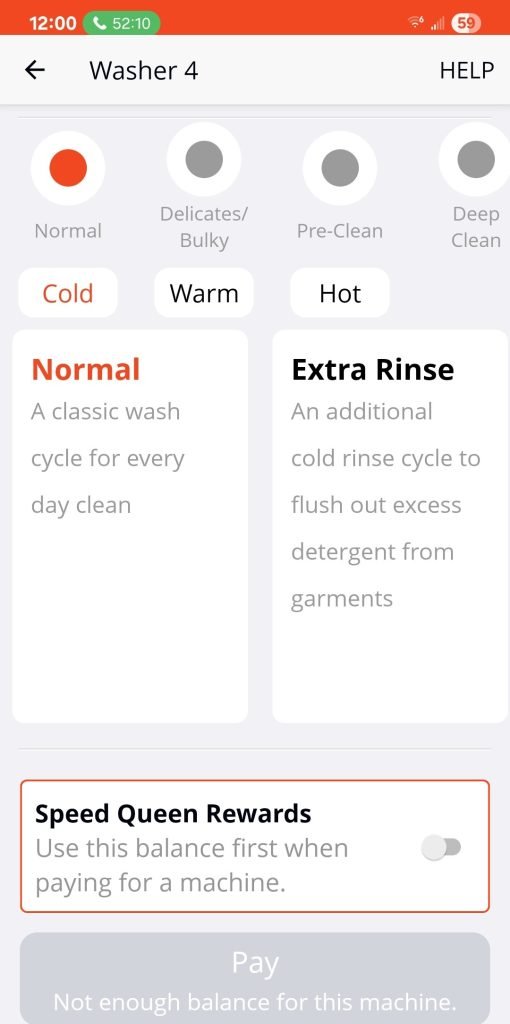
Choose your option of cycle and temp or you may also select your cycles on the machines screen.
Scroll to bottom of screen to pay.
To pay with rewards you must tap button on right side in box right above [pay now] that reads [speed queen reward] (make sure it turns red).
You must physically press start on machine.
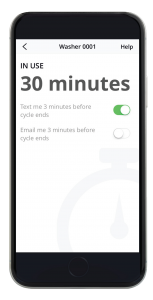
Monitor Your Cycle
Choose sms email or notifications to get instant alerts when your laundry is nearly finished
Sometimes alerts are off a bit so check the main screen to see real time on your number of machine.
Your machines will appear at the top of the machine list so its easy to check time.
How to use Rewards
For every $10 dollars you spend on washers you will earn $1 in rewards credit to use in store. If you add $50 at once you will receive $5 in rewards. you can see your reward credit under [your balance] near top of main screen.
$50
Load $50, get $5 back
Add funds with the slider and choose $50, and a $5 reward credit lands in your account to spend in store.
Good to know
A few things worth remembering
01You can use rewards with other forms of payment.
02You must physically tap Start on machine.
03Ensure the correct machine is paid for in-app before hitting Start physically.
04Enable alerts for updates.
05If app isnt working properly sign out of speen queen app then sign back in.
06You can reach live support directly via the app’s Support menu.
Standing at the machine instead?
Full step by step instructions for the washers, dryers and the soap vending machine.